

Five tips to help students and parents choose the right laptop, avoid costly compatibility surprises and make the most of the computers they already own
AUSTIN, Texas – November 17, 2026 – For college students and their parents, choosing the right laptop can be a significant investment. But what happens when a student arrives on campus with a new MacBook, only to discover that a required application runs on Windows? Or when a student considering a Mac is told that their major requires Windows-based software?
Before purchasing another computer or abandoning their preferred device, families should understand their options. According to Parallels, a global provider of virtualization and cross-platform solutions, students can often access the Windows applications they need directly from their existing Mac, eliminating the need for a second computer.
“Students shouldn’t have to choose between the computer they want and the software their education requires,” said Michelle Chiantera, Chief Revenue Officer at Parallels. “Before families invest in another laptop, it’s important to understand whether the issue is really the computer or simply the operating system. In many cases, students can get the functionality they need without purchasing additional hardware.”
Five Tips for Choosing the Right College Computer and Avoiding Unnecessary Costs
1. Check software requirements before choosing a laptop. Different majors have different technology needs. Engineering, architecture, business analytics and other programs may require specialized Windows applications. Students should review their department’s software requirements before purchasing a computer, rather than relying solely on general university laptop recommendations.
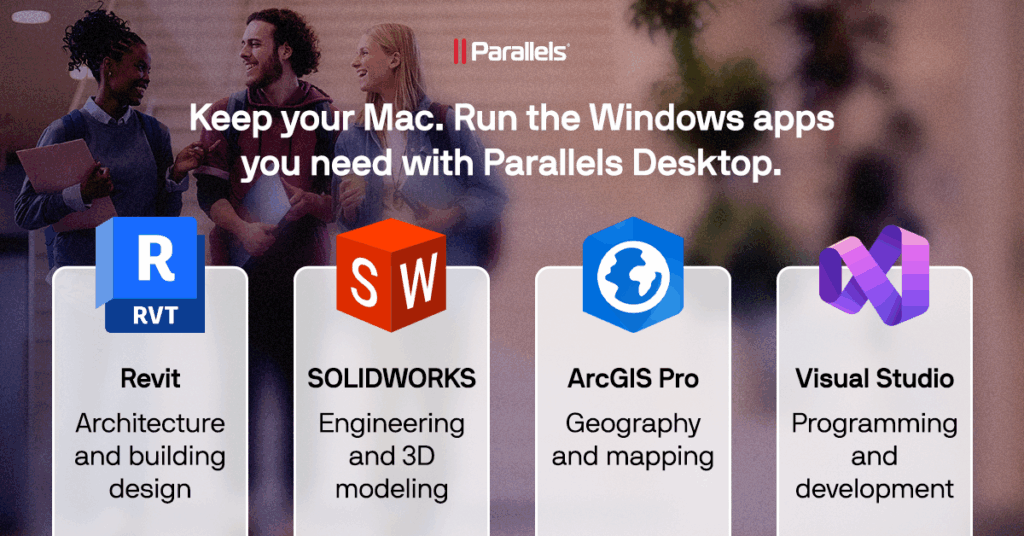
2. Don’t assume a Mac can’t run Windows applications. Students who prefer Macs may still be able to use Windows-based software. Solutions such as Parallels Desktop allow compatible Windows applications to run alongside macOS applications, giving students access to both environments from one computer.
3. Make the most of the laptop you already own. If a professor requires a Windows application, that doesn’t automatically mean a student needs a new PC. Before investing in additional hardware, explore whether the existing computer can support Windows through virtualization and whether the required application is compatible.
4. Consider the total cost of college technology. Beyond the initial laptop purchase, families should account for software licenses, accessories and potential upgrades. Choosing a flexible computer setup can help avoid unnecessary hardware purchases as academic requirements change. Students should also investigate education discounts and software licenses available through their university.
5. Choose a computer that can adapt as academic needs evolve. A laptop purchased for freshman year may need to support different applications as students select majors, take electives or pursue internships. The ability to access both Mac and Windows environments can provide greater flexibility throughout college.
With Parallels Desktop for Mac, students can run Windows 11 on compatible Macs and use supported Windows applications without rebooting or switching devices. This can be particularly valuable for students who prefer the Mac experience but need Windows software for coursework, research or other academic activities. Application compatibility and performance depend on the Mac’s hardware and the software’s requirements.
Parallels also offers special education pricing for eligible students, educators and parents, helping make cross-platform computing more accessible.
“College technology needs can change from semester to semester,” added Chiantera. “The goal should be to choose a computer that provides flexibility, not one that limits students to a single operating system or forces another major purchase when their coursework changes.”
For more information about running Windows applications on a Mac, visit www.parallels.com/products/desktop/.
About Parallels
Parallels is a global leading brand in cross-platform solutions that make it simple for businesses and individuals to use and access the applications and files they need on any device or operating system. Parallels helps customers leverage the best technology out there, whether it’s Windows, Mac, ChromeOS, iOS, Android, or the cloud. Parallels solves complex engineering and user-experience problems by making it simple and cost-effective for businesses and individual customers to use applications anywhere, anytime. For more information, visit www.parallels.com.
© 2026 Parallels International GmbH. All rights reserved. Parallels is a trademark or registered trademark of Parallels International GmbH in Canada, the United States and/or elsewhere. Mac and macOS are trademarks of Apple Inc. Android, Google Chrome and ChromeOS are trademarks of Google LLC. Windows, Microsoft Teams, Microsoft Office, Microsoft Visio, Microsoft Project, Power BI and Microsoft Access are trademarks of Microsoft Corporation. IOS is a trademark or registered trademark of Cisco in the U.S. and other countries and is used under license. Linus is the registered trademark of Linus Torvalds in the U.S. and other countries. All other company, product and service names, logos, brands and any registered or unregistered trademarks mentioned are used for identification purposes only and remain the exclusive property of their respective owners. For all notices and legal information, visit www.parallels.com/about/legal/.
Media Contact
Sarah Umphlett
704.999.1281
sumphlett@avistapr.com